

8. Link Accounts with Test Financial Institutions
Overview
We have test financial institutions (FIs) that enable you to simulate the account linking workflow. These test FIs can help you develop and manage the Account Linking events, and also help you develop retrieval operations of the aggregated data.
Instructions
As you build out your integration, use the test FIs below to validate your end-to-end workflow across:
- Different authentication flows, including multi-factor authentication (MFA) types (activation code, security question) and credential failures
- Different data shapes, including positional, transactional, banking, and investment data
- Investor and advisor account linking, including the custodial feed onboarding workflow
Test Financial Institutions
Each FI below allows you to aggregate test accounts and simulates data suited for testing different scenarios.
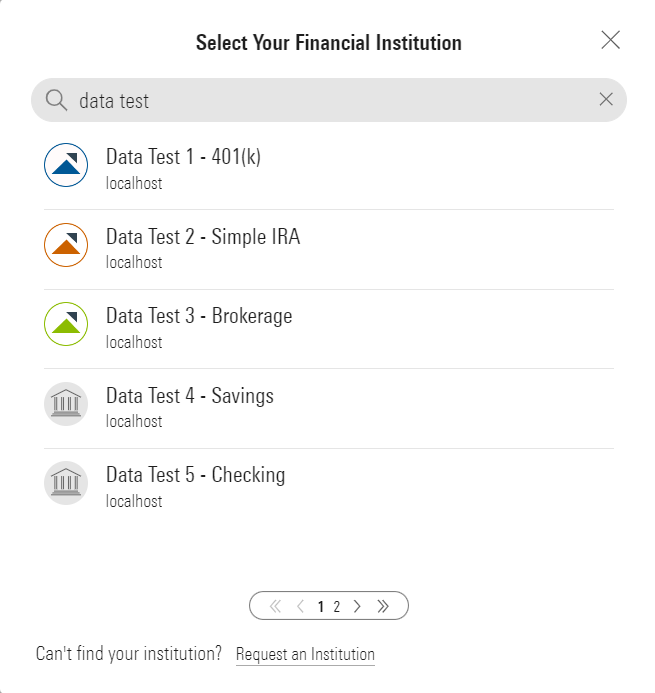
Selecting the Test FIs
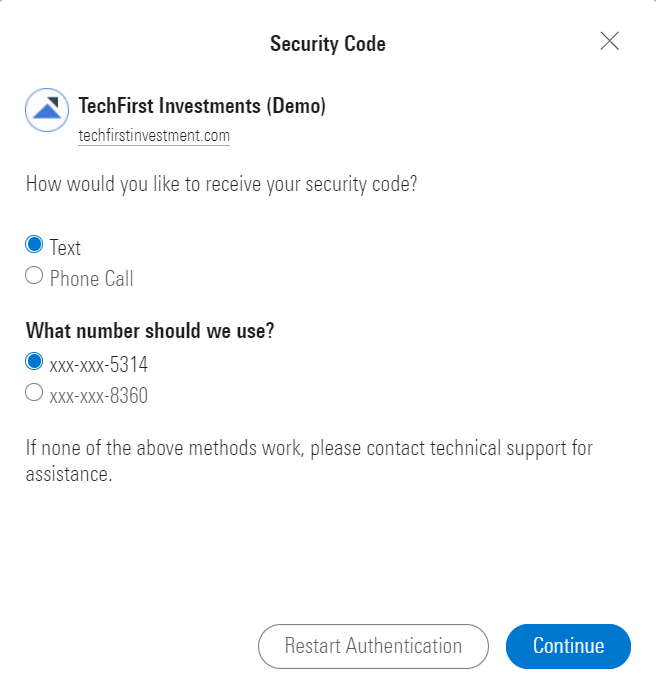
Multi-Factor Authentication with an In-Session Activation Code
| Scenario | FI Name | Login Name | Password | Required MFA value | Comments |
|---|---|---|---|---|---|
| Account Linking + Data Collection (Positions & Historical Transactions) | Data Test 1 - 401(k) (Investment) | Any value | Any value | n/a | This test FI has complete positional data and historical transactional data. There are other data tests (Data Test 2, 3, 4) which can be used as well that support different account types. |
| Account Linking + Data Collection (Banking & Investment) | Sample Data - Test Accounts | Use the string username | Any value | n/a | This test FI has banking and investment accounts, with a diverse set of holding and transactional data. |
| Multi-Factor Authentication with a Security Question and Answer | ByAllAccounts Demonstration FI #2 (SQA) (Investment) | username | Any value | Boston | Login and security answer are case sensitive. Incorrect values will cause a login error. This test FI enables you to see the multi-factor authentication (MFA) workflow and you can break it by using an incorrect username or security answer. |
| Multi-Factor Authentication with an In-Session Activation Code & Authentication Failure | TechFirst Investments (Demo) | Any value | Any value Use 'badpassword' to cause a 1007 error | 1234 | Useful for testing in session activation code workflow and authentication failures. |
| Advisor: Account Linking + Data Collection | TechFirst Investments – Advisor (Demo) | Any value | Any value | 1234 | Returns 32 unique accounts; holdings data is limited to cash; no transactions. |
| Advisor: Custodial Feed Onboarding | TechFirst Investments – Custodial Feed (Demo) | Any value | Any value | n/a | Simulates the feed onboarding experience. During the feed setup flow, any values can be entered for the Feed Setup Form (Step 2) and credentials (Step 3). Returns 20 unique accounts with cash-only holdings and no transactions. |
Success CriteriaYou have linked accounts using one or more test FIs and aggregated data is available for retrieval.
Updated 6 months ago
Did this page help you?