

Account Summary Component
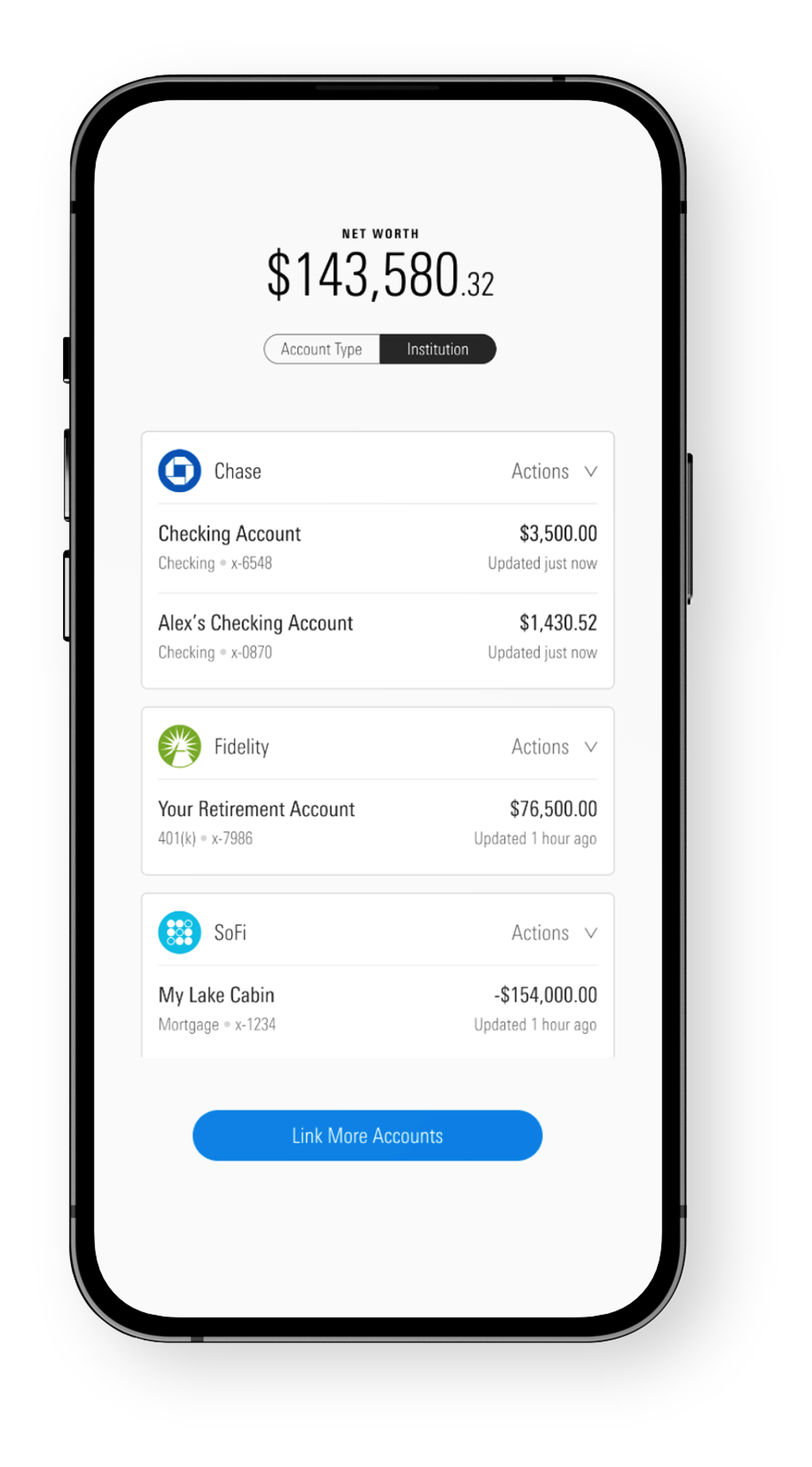
Account Summary is an embeddable UI component that provides a consolidated view of linked accounts, credentials, and connectivity status within the ByAllAccounts aggregation platform.
About this component
Account Summary is a W3C custom HTML element that works with React, Vue, and vanilla JavaScript applications. It supports Chrome (including incognito), Firefox, Microsoft Edge, and Safari.
Users must have read-write permissions, authenticate via Single Sign On (SSO), and belong to a firm licensed for Account Summary. Both investor and advisor users are supported. Advisors can also be granted read-only access to monitor investor account information without the ability to take actions.
What it does
Account Summary gives users an at-a-glance view of all their aggregation activity. It organizes credentials and accounts into groups based on their current state:
Credentials where newly added accounts are currently being aggregated.
Credentials that require user action, such as updated authentication or additional security steps.
All credentials and accounts for the user.
Requests for new financial institution connections not yet available in the network.
From Account Summary, users can initiate actions that launch the Account Linking component:
- Link new accounts — Start a new connection at a different financial institution.
- Discover accounts — Find additional accounts on an existing credential.
- Re-authenticate — Update credentials for connections that have expired or need attention.
Users can also manage individual accounts directly within Account Summary, including editing account names and removing accounts they no longer need.
Connectivity errors
Account Summary surfaces connectivity issues directly in the interface so users can identify and resolve problems without leaving the platform.
Yellow — Non user-actionable errors. The issue is on the institution or aggregation side and does not require user intervention.
Red — User-actionable errors. The user can resolve them by updating credentials or completing an additional authentication step. Recommended next steps are provided, and these errors are highlighted in the Needs Attention section for visibility.
Customization
Account Summary can be configured to match your platform's look, feel, and scope.
Content
Terminology — Override all static text (labels, buttons, dialogs) via a translation file. Account Summary has its own translation file, separate from Account Linking.
Styling
Styles — Override default Morningstar Design System (MDS) styles with your own CSS.
Fonts — Override default MDS fonts with your own font files.
Behavior (Investor only)
Account Type view — Enable or disable the balance-sheet-style view that organizes accounts by Assets and Liabilities.
Net Worth Chart — Enable or disable the historical net worth time-series chart.
For configuration file details and implementation steps, see the Development Guide.
Updated 6 months ago