

Glenmede - SFTP
FI ID: 111521
Onboarding Instructions
Step 1: Reach out to the Glenmede Relationship Team and request to have your data sent to Morningstar ByAllAccounts.
Step 2: The Glenmede Relationship Team will assist with obtaining and completing the required paperwork and will provide a Customer ID once the paperwork has been processed.
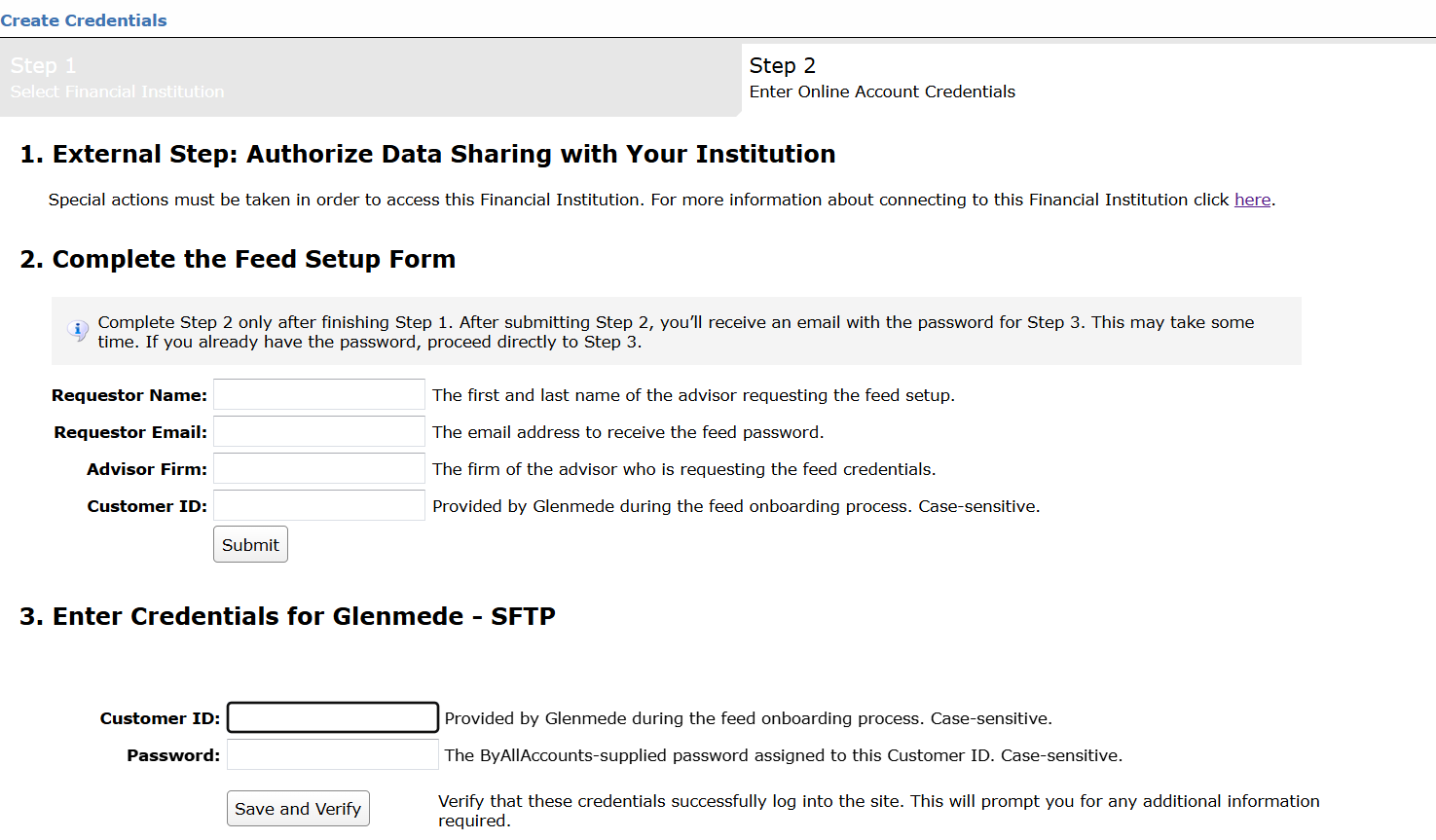
Step 3: Submit the Feed Setup Form in AccountView.
Product screenshot
Step 5: ByAllAccounts will complete the final configurations and share the feed password.
Feed password delivery details
| ByAllAccounts Password Email Subject | ByAllAccounts/Glenmede - SFTP [ByAllAccounts SalesForce Case Number] |
| ByAllAccounts Password Email Sender | [email protected] |
| ByAllAccounts SalesForce Case Number | This is the reference number you will have received to track your request after completing step 3. |
Step 6: Enter feed credentials in AccountView and aggregate accounts.
Feed credential details
- Username: Customer ID
- Password: Shared by ByAllAccounts via email in step 4
- If you have more than one Advisor Profile, you need to create multiple credentials. These will share the same password unless noted otherwise.
Note: This process can take a couple of weeks.
For detailed instructions on how to link accounts once you have your feed credentials, please refer to the following training video: Linking Accounts and Credentials with Direct Feeds
Updated 7 days ago