

Pictet Piclink - SFTP Access
FI ID: 113782
Onboarding Instructions
Step 1: Advisor/Firm must reach out to Pictet at [email protected] to request their data to be added to the Morningstar ByAllAccounts feed.
Step 2: Pictet will setup the feed and provide a Pictet Unique ID (PUID) to the Advisor and copy ByAllAccounts (used to configure data in Morningstar ByAllAccounts).
Step 3: Submit the Feed Setup Form in AccountView.
Product screenshot
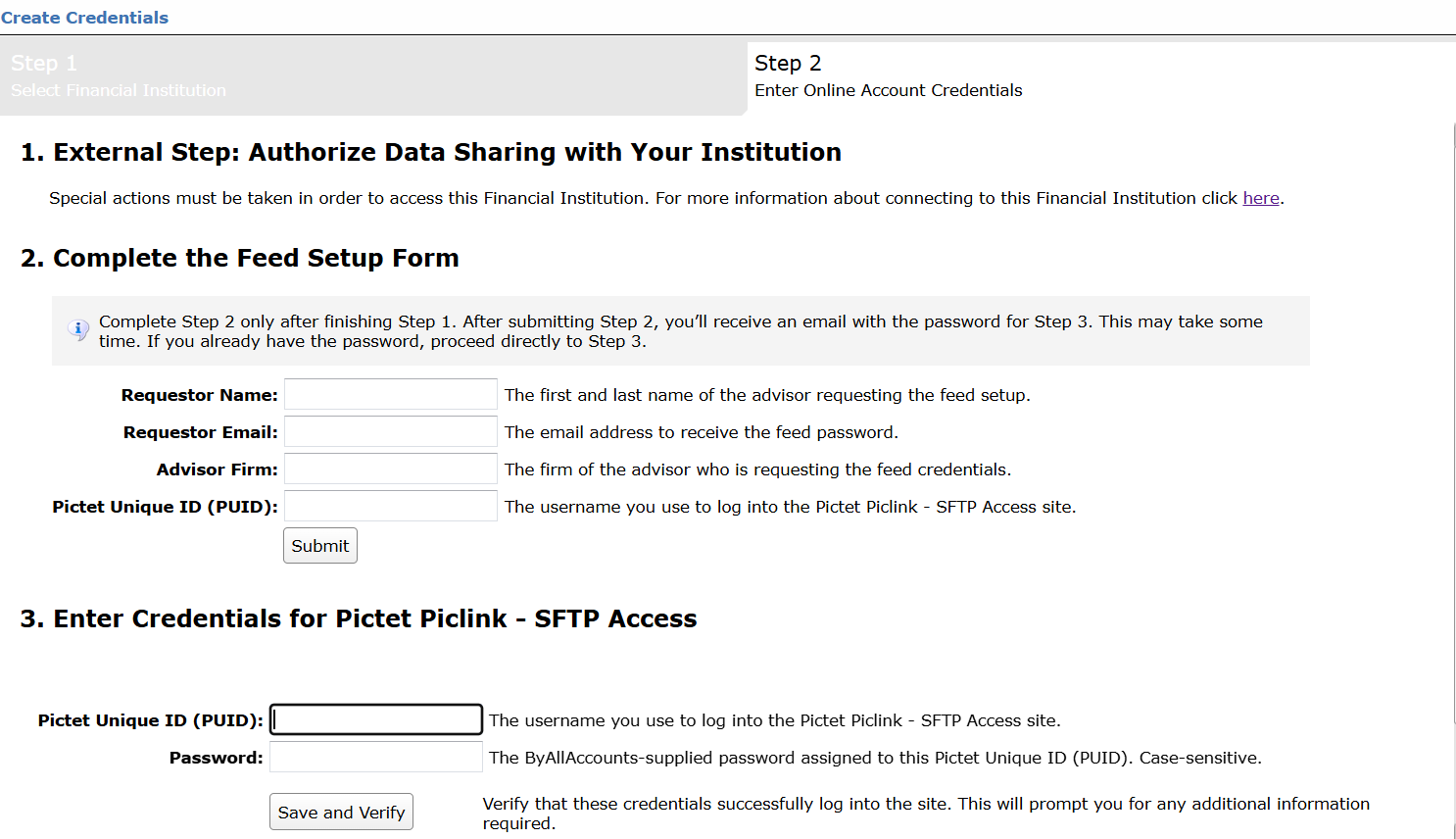
Step 4: ByAllAccounts will complete the final configurations and share the feed password.
Feed password delivery details
| ByAllAccounts Password Email Subject | ByAllAccounts/Pictet Piclink - SFTP Access [ByAllAccounts SalesForce Case Number] |
| ByAllAccounts Password Email Sender | [email protected] |
| ByAllAccounts SalesForce Case Number | This is the reference number you will have received to track your request after completing step 3. |
Step 5: Enter feed credentials in AccountView and aggregate accounts.
Feed credential details
- Username: Pictet Unique ID (PUID)
- Password: Shared by ByAllAccounts via email in step 4
- If you have more than one Pictet Unique ID (PUID), you need to create multiple credentials. These will share the same password unless noted otherwise.
For detailed instructions on how to link accounts once you have your feed credentials, please refer to the following training video: Linking Accounts and Credentials with Direct Feeds
Updated 2 months ago
Did this page help you?