

Pontera (Formerly FeeX) SFTP Access
FI ID: 112812
Preliminary instructions:Please note that any account marked as "managed" in Pontera's platform will be sent to us, even if it has no holdings or activity. If you no longer wish for an account to be sent to ByAllAccounts, please update the account status to "non-managed" in Pontera's platform.
Onboarding Instructions
Step 1: Advisor/Firm must reach out to their Pontera (Formerly FeeX) Partner Engagement Manager (or [email protected]) and request their data be added to the Morningstar SFTP feed.
- Advisor/Firm should copy [email protected] on the email request.
- Pontera will assist with completing a rider and platform training before initiating the feed.
Step 2: Your Recordkeeper/Third-Party Administrator will confirm that the setup is complete under your Advisor Profile.
Step 3: Once Pontera completes the request, they will confirm and provide a File ID to both the Advisor/Firm and ByAllAccounts.
Step 4: Submit the Feed Setup Form in AccountView.
Product screenshot
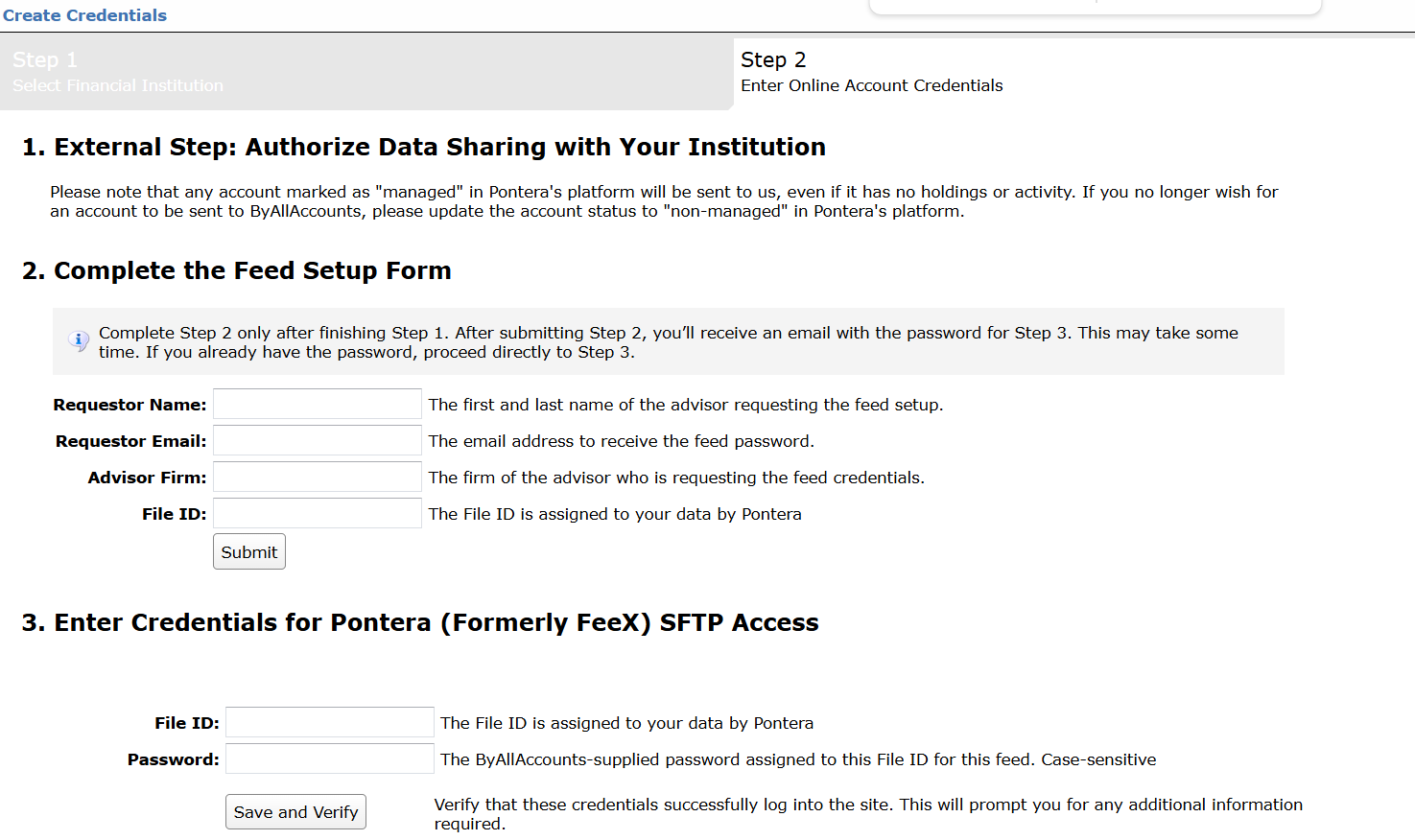
Step 5: ByAllAccounts will complete the final configurations and share the feed password.
Feed password delivery details
| ByAllAccounts Password Email Subject | ByAllAccounts/Pontera (Formerly FeeX) SFTP Access [ByAllAccounts SalesForce Case Number] |
| ByAllAccounts Password Email Sender | [email protected] |
| ByAllAccounts SalesForce Case Number | This is the reference number you will have received to track your request after completing step 3. |
Step 6: Enter feed credentials in AccountView and aggregate accounts.
Feed credential details
- Username: File ID
- Password: Shared by ByAllAccounts via email in step 4
- If you have more than one File ID, you need to create multiple credentials. These will share the same password unless noted otherwise.
For detailed instructions on how to link accounts once you have your feed credentials, please refer to the following training video: Linking Accounts and Credentials with Direct Feeds
Feed Notes:
- The data feed is designed to update on a two-business-day delay, so there may be times when the data appears temporarily out of date. Each client will receive one set of files every day at 6:00 PM, containing end-of-day data from the previous business day.
- The feed is setup to aggregate on a T+2 basis so "stale-data" errors are unavoidable.
- Pontera is a data aggregator and Morningstar/ByallAccounts aggregates from their aggregated data files.
- This feed does not deliver full records daily.
- Delta (partial) files are delivered based on availability from Pontera (who aggregates from various custodians).
Updated 8 months ago